
Investing in a meeting room booking system is one of the smartest upgrades an office manager, IT leader, or facility team can make. But with dozens of software and display hardware options on the market, choosing the wrong setup can lead to broken integrations, constant Wi-Fi drops, and frustrated employees.
Before you sign a contract or place a hardware order, make sure your solution checks these 7 essential features:
1. Multi-Calendar Synchronization (Bi-Directional Sync)
Your room booking solution must integrate seamlessly with the calendar ecosystem your team already uses every day.
-
Look for real-time bi-directional sync with Zoho Calendar, Microsoft 365, and Google Workspace.
-
When someone books a room on their laptop, it should instantly reflect on the door display outside—and vice-versa.
2. “Ghost Meeting” Auto-Release
“Ghost meetings”—reservations made by people who never show up—are the #1 cause of wasted conference room space.
-
Choose a system that requires a 1-tap check-in on the door display.
-
If no one checks in within 10–15 minutes, the system should automatically release the room and mark it available for others.
3. Commercial-Grade Hardware (Power over Ethernet / PoE)
Consumer tablets like standard iPads or retail Android screens are not built for continuous 24/7 corporate use.
-
Why PoE matters: Power-over-Ethernet (PoE) runs both power and high-speed data through a single cable.
-
Avoid battery risks: Consumer tablets kept plugged in around the clock often overheat or suffer swollen batteries. Always insist on commercial-grade hardware, such as 10″ Philips commercial PoE displays.
4. At-a-Glance Status LED Indicators
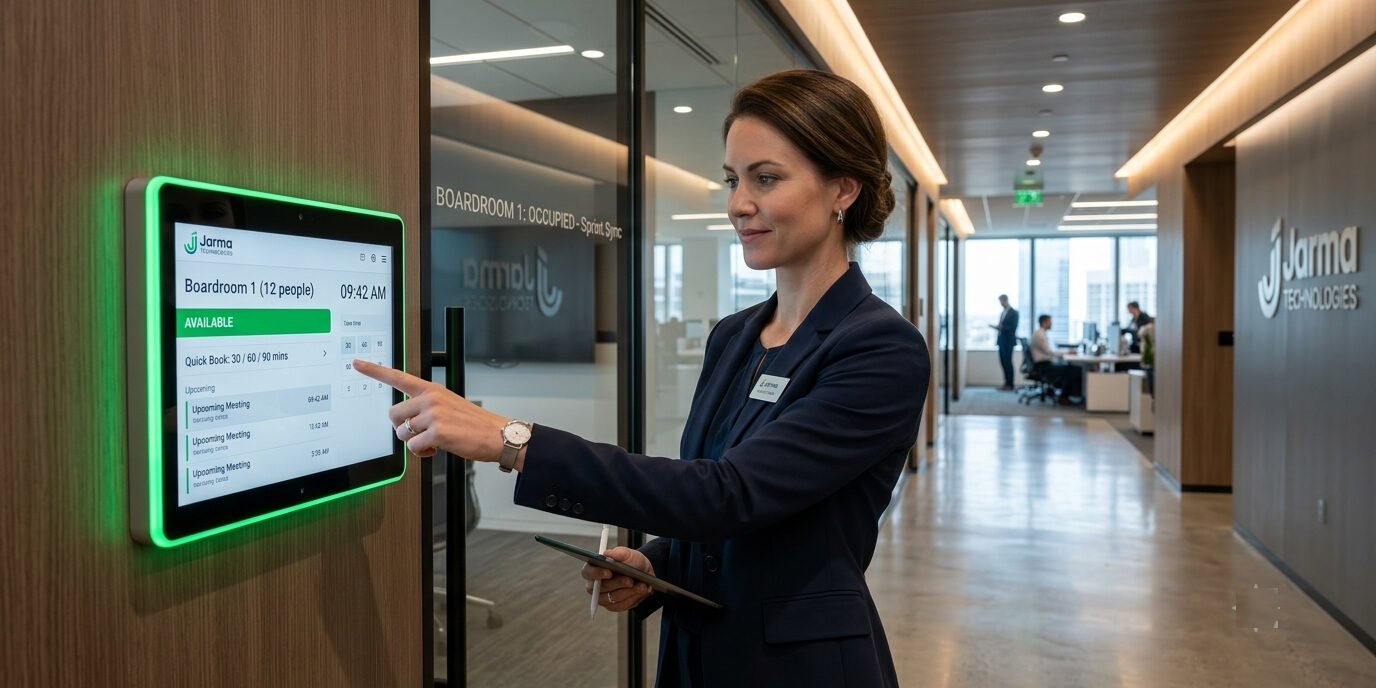
High-visibility Red / Green LED side light bars make a huge difference in busy corporate corridors.
-
Employees can spot free rooms (Green) or occupied spaces (Red) from far down the hallway without walking up to knock or peer through the glass.
5. Instant “Quick Book” at the Door
Spontaneous meetings happen. When two colleagues need a quick 15-minute sync, they shouldn’t have to open a laptop or go through complex menus.
-
Look for an intuitive “Quick Book” button right on the display screen to lock the room for 15, 30, or 45 minutes with a single tap.
6. Custom Branding & Language Options
Your office technology should reflect your brand’s identity.
-
The system should let you upload your company logo, customize display colors, and select preferred languages for global or multi-regional offices.
7. Reliable OEM Warranty & On-Site Installation
Hardware failures bring immediate office headaches. Ensure your vendor provides:
-
Comprehensive OEM hardware warranty (at least 3 years).
-
Full installation and mounting support across your office locations.
Upgrade Your Meeting Spaces with Room Reserve
At Jarma Technologies, we built Room Reserve to give enterprise teams, clinics, and hospitality venues a complete, reliable, and hassle-free room management ecosystem.
-
Software + Hardware Combo: Enterprise-ready Room Reserve software paired with commercial 10″ Philips PoE touch displays.
-
3-Year OEM Warranty: Complete peace of mind for your IT infrastructure.
-
Free Installation PAN-India: Professional wall mounting and setup handled entirely by our experts.
Ready to eliminate office double-bookings for good?
👉 Get a Free Demo: Visit www.roomreserve.co.in
📧 Email Us: mail@jarma.co.in
📱 Call / WhatsApp: +91 9137985009