
End Office Chaos: Smart Room Booking Displays Built for Zoho Calendar
Ever walked into an “empty” meeting room, only to be kicked out 5 minutes later because someone booked it on Zoho?
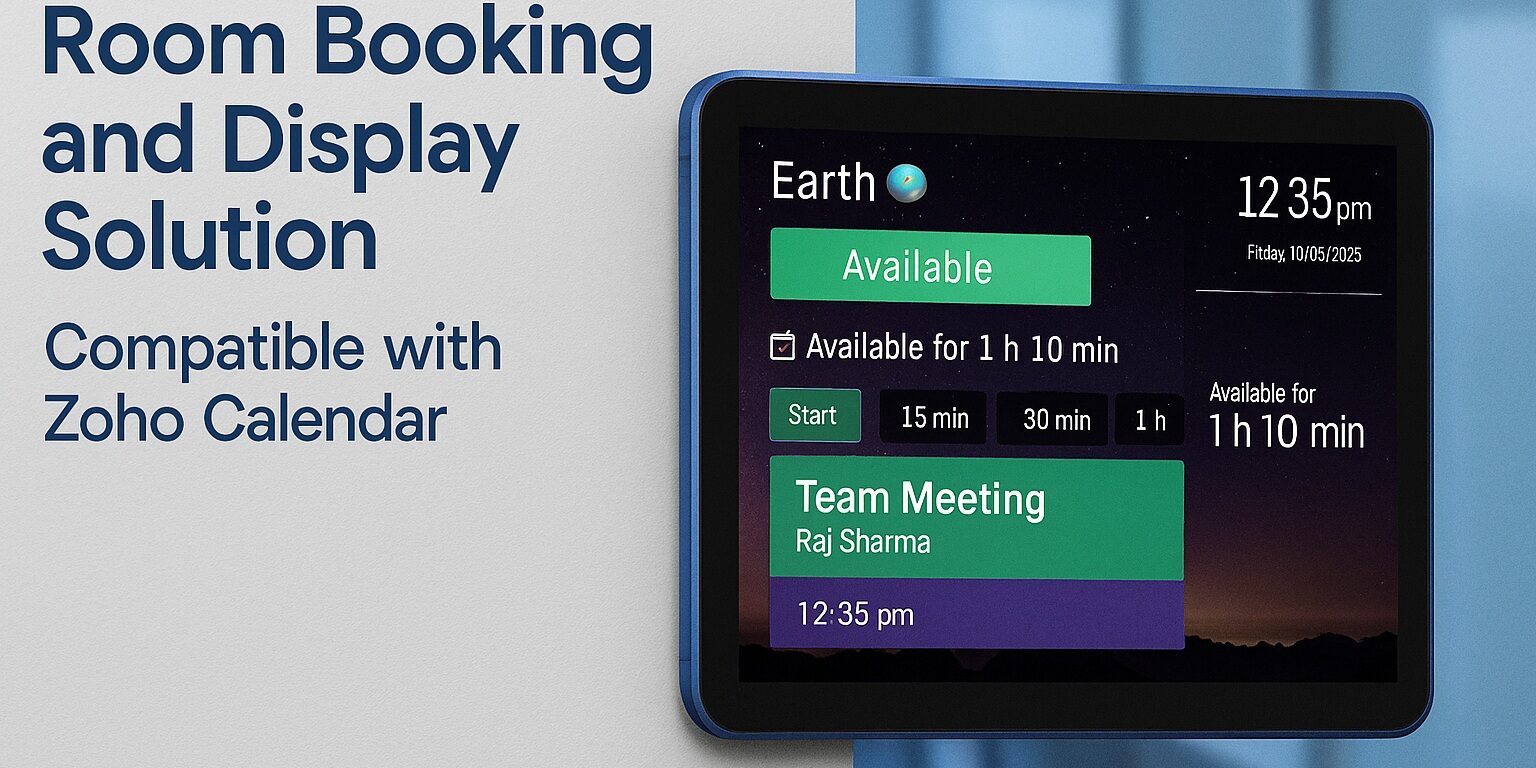
While Zoho Calendar keeps your digital schedule organized, your physical office needs a visual bridge. Installing smart, touch-screen displays outside your conference rooms links your physical doors directly to your digital workflow.
Why Connect Room Displays to Zoho Calendar?
-
Instant Visual Status: High-visibility Red (Occupied) and Green (Available) LED light bars let your team spot free rooms from down the hallway.
-
1-Tap “Quick Book”: Need an urgent spot for a 15-minute sync? Walk up to any screen and tap Quick Book to lock the room and update Zoho instantly.
-
Eliminate “Ghost Meetings”: Unused reservations automatically drop and free up for others if no one checks in at the door screen.
-
Multi-Calendar Support: Seamlessly syncs across Zoho Calendar, Google Workspace, and Microsoft 365 simultaneously.
Pro Tip: Avoid consumer tablets that overheat when plugged in 24/7. Always opt for commercial-grade PoE (Power over Ethernet) displays designed for continuous corporate use.
Ready to Upgrade Your Workplace?
With Room Reserve by Jarma Technologies, you get enterprise-grade software paired with branded 10″ Philips PoE displays—complete with a 3-year OEM warranty and free PAN-India installation.
-
Website: www.roomreserve.co.in
-
Email: mail@jarma.co.in
-
WhatsApp / Call: +91 9137985009